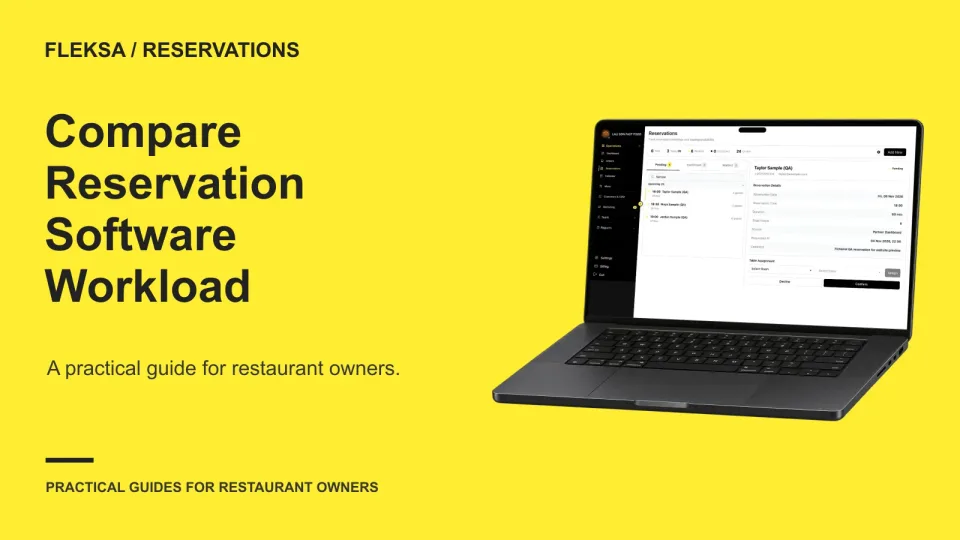
The reservation system that reduces host work is the one your team can use to complete a full service workflow accurately, including changes and exceptions. Compare systems by timing the same tasks, recording errors separately, and checking who has to step in when something goes wrong.
Do not choose on speed alone. A system that takes a minute longer but keeps party sizes, availability, and special requests clear may be the better choice. Start with the work your hosts actually do, then use the results alongside written quotes and support terms.
Build a trial around a real service
Choose a representative shift, not just a quiet afternoon when every booking fits neatly. Write a short task sheet before seeing demonstrations so each vendor gets the same conditions. Include the booking channels you expect to use, the size of your dining room, and the rules your staff must follow.
For example, specify how many physical tables are available, how many guests each can seat, and whether tables can be combined. A party is a group of guests; it is not necessarily one physical table. If two tables must be joined for a large party, those tables cannot also be assigned separately at the same time. State the reservation duration and any buffer between seatings so each system is judged against the same capacity.
Give the host a mix of ordinary tasks and awkward ones:
- Book: Enter a phone reservation with a name, local date and time, party size, and an appropriate special request. Check the completed record.
- Change: Move a party to a later time and increase its size. Check whether the new arrangement fits the stated capacity and what manual updates are needed.
- Arrival: Find a reservation, mark the party's arrival using the available workflow, and identify where the host can see the request.
- Exception: Handle a duplicate name, a late arrival, or a request for a time with no suitable capacity. Record whether the host can resolve it or needs a manager.
Also ask the vendor to show a booking made through the restaurant's own website. If Google bookings matter to you, ask whether that path is available for your location and how it appears to staff. A host should be able to tell which channel produced a booking without keeping a separate guessing sheet.
Use fictional guest details in a practice environment. Disable outbound messages and any live integrations, and do not use a real card payment or dispatch a courier. Ask the vendor to demonstrate any unavailable practice step without sending data to a guest. The goal is to see the workflow, not create live reservations that someone must untangle later.
Time the whole task, then count errors
Have the same host perform the task set on each system after a similar amount of instruction. Start the clock when the host begins reading the task and stop only when the record has been checked or the exception has been handed to the right person. Include navigation, searching, correction, and any required manual notes. If a vendor performs a step instead, record that as assistance rather than treating it as host work completed.
Hypothetical worksheet: A restaurant compares System A and System B using the same fictional shift. It has six physical tables, each seating up to four guests; two tables may be joined for a party of up to eight. Each table is available for one two-hour seating in the trial. The task set contains four bookings, two changes, four arrivals, and two exceptions. Times below cover the complete set, including manual checks and corrections. No live bookings or messages are involved.
| Trial measure | System A | System B | Decision note |
|---|---|---|---|
| Booking tasks | 12 minutes | 10 minutes | Includes entering and checking four bookings. |
| Changes | 9 minutes | 8 minutes | Includes checking capacity after each change. |
| Arrivals | 7 minutes | 6 minutes | Includes finding records and reviewing requests. |
| Exceptions | 8 minutes | 5 minutes | Includes any escalation or manual note. |
| Total staff time | 36 minutes | 29 minutes | B uses 7 fewer minutes for this task set. |
| Unresolved errors | 1 | 0 | A left one changed party at the wrong time; B met the stated checks. |
The table separates time from accuracy. In this hypothetical result, System B is the stronger trial choice: it takes less staff time and leaves no unresolved error under the stated checks. That is not a forecast of savings in a real dining room. The task set is small, and a different mix of large parties or changes could produce a different result.
Define an error before starting. A wrong date, time, party size, status, or table allocation should count. So should a missing request that the host needed for the scenario. Record both errors caught during the task and errors still present at the end. Corrections belong in the timed total; unresolved errors belong in a separate risk record.
Run the same tasks in a different order on another day if possible. A host who already knows the answers may get faster on the second system. Note differences in training and assistance rather than presenting the times as laboratory results. If a step cannot be completed, record the missing workflow and its manual substitute instead of assigning it a zero-minute time.
Score the work around the reservation
The booking screen is only part of a host's shift. After the trial, write a short scorecard for each system using four labels: acceptable, needs a workaround, fails a requirement, or not yet demonstrated. Assign an owner and a next step to every workaround. A feature that looks convenient in a demo can still create work if only one manager can use it.
Role access and handoffs
List the actions a host, shift manager, and owner should be able to take. Ask whether permissions can distinguish viewing bookings from changing settings, exporting guest data, or managing users. Have the vendor show what happens when a host needs to make an exception but lacks authority. Is the manager notified, or does the host need to leave the stand and find them?
Check how a shift handoff works. Can the next host quickly find a changed booking and understand what remains to be done? If the team needs a paper list or separate spreadsheet, count the time to prepare and reconcile it. Manual work may be reasonable, but it should be visible in the decision.
Support and service interruptions
Ask what support is available during your actual service hours, how to reach it, and who handles an urgent booking problem. Request the expected response process in writing. For an internet or device interruption, ask what information staff can access, what must be recorded manually, and how to reconcile those notes when service returns. Do not assume offline access from a demonstration conducted on a working connection.
Plan a fallback that fits your room: who takes phone calls, where temporary notes are kept, and who checks them against the system afterward? Keep guest information appropriately protected. A fallback is useful only if the team knows when to use it and who closes the loop.
Channels and reporting
OpenTable offers reservations, restaurant operations tools, and a diner discovery network. Fleksa offers direct restaurant reservations and Google reservation paths where available. These are different booking approaches: a discovery network may matter if you want diners to find you there, while a direct path serves guests already coming to your restaurant's website. Neither approach guarantees bookings.
For each channel, ask how the booking is attributed, what fees apply, and what information staff can access or export. If you use more than one channel, ask how availability stays consistent and who resolves a conflict. Have the vendor demonstrate the actual setup you would buy rather than assuming every connection is included.
Compare quotes and plan a controlled changeover
Ask each vendor for a written quote based on the same operating assumptions: locations, booking channels, expected reservation volume, users, setup help, and support hours. Separate fixed charges from usage-based charges and one-time setup or training costs. Ask about charges for additional channels, messaging, equipment, integrations, and changes in volume where relevant.
Also list exception costs that might not appear in a base quote: extra support, an urgent data export, additional staff training, or manual reconciliation. A processing fee, if payments are part of your workflow, is only one possible cost; it is not the same as the all-in cost of running the reservation system. Deposits collected from guests and restaurant sales are separate amounts, not software fees.
Review Fleksa's plans and pricing, checked November 2026, and request a current quote for your setup. Ask every vendor when prices can change, how renewal and cancellation work, and what happens to access and data at the end of the agreement. A qualified adviser can help with contract or tax questions.
Before moving from an existing system, identify a cutover owner and agree on a supported transfer method. Use only authorized access and transfer only appropriate guest information. A rehearsal should preserve booking identity, local date and time, party size, status, and appropriate special requests. Compare counts by service date, then spot-check individual records against the source. Investigate differences before accepting the new list.
Set a clear point after which staff enter new bookings in the chosen system, and decide who reconciles anything taken during the transition. Keep a documented fallback and a way for the team to find existing reservations. No rehearsal can guarantee an uninterrupted changeover, so monitor the first services and resolve discrepancies promptly.
Start with Fleksa's reservations guidance and the broader restaurant management software overview if you are considering adjacent workflows. Then compare your requirements with Fleksa and ask for a reservation system demonstration using your task sheet.
Frequently asked questions
How long should a reservation software trial take?
Allow enough time for instruction, the complete task set, and a review of errors and workarounds. Repeat the same tasks under similar conditions for each system; a quick booking demo alone is not enough.
Should I choose the system with the fastest host time?
Not automatically. First check whether it meets your capacity, accuracy, access, and support requirements. Then compare time and quoted costs among the systems that pass those requirements.
Can a practice trial replace a live service pilot?
No. A simulation exposes workflow problems without contacting guests or taking payments. A separately planned live pilot uses real service conditions and needs staff ownership, a fallback, and reconciliation of actual bookings.