01
Create offers for your guests
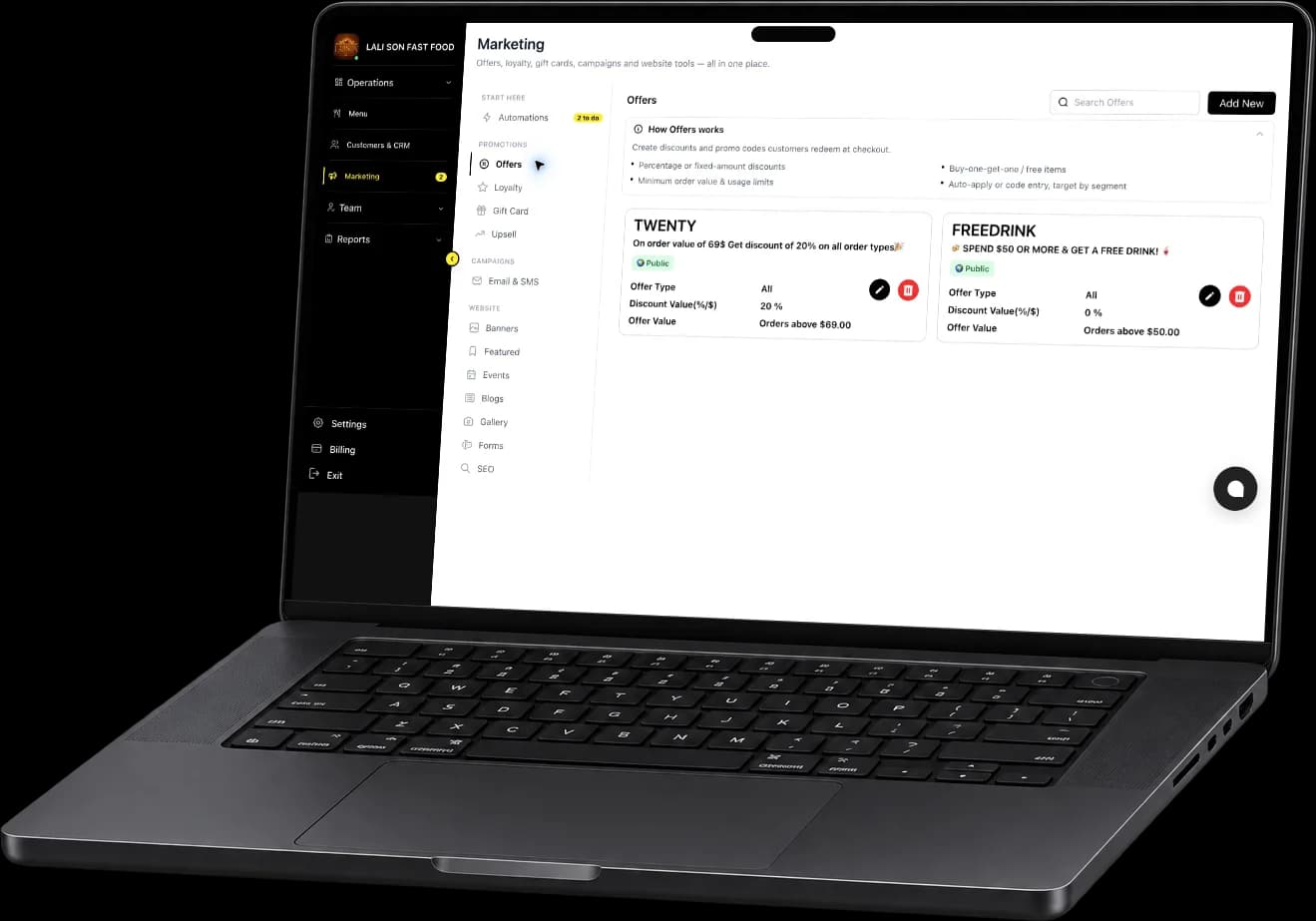
See promotions and manage the offers available to your guests.
Fleksa partner portal
View orders, manage your menu and review reservations in the Fleksa partner portal. Explore the tools for your restaurant’s daily work.
A look inside the portal
These example views show how the partner portal brings everyday operations into focus.
See promotions and manage the offers available to your guests.
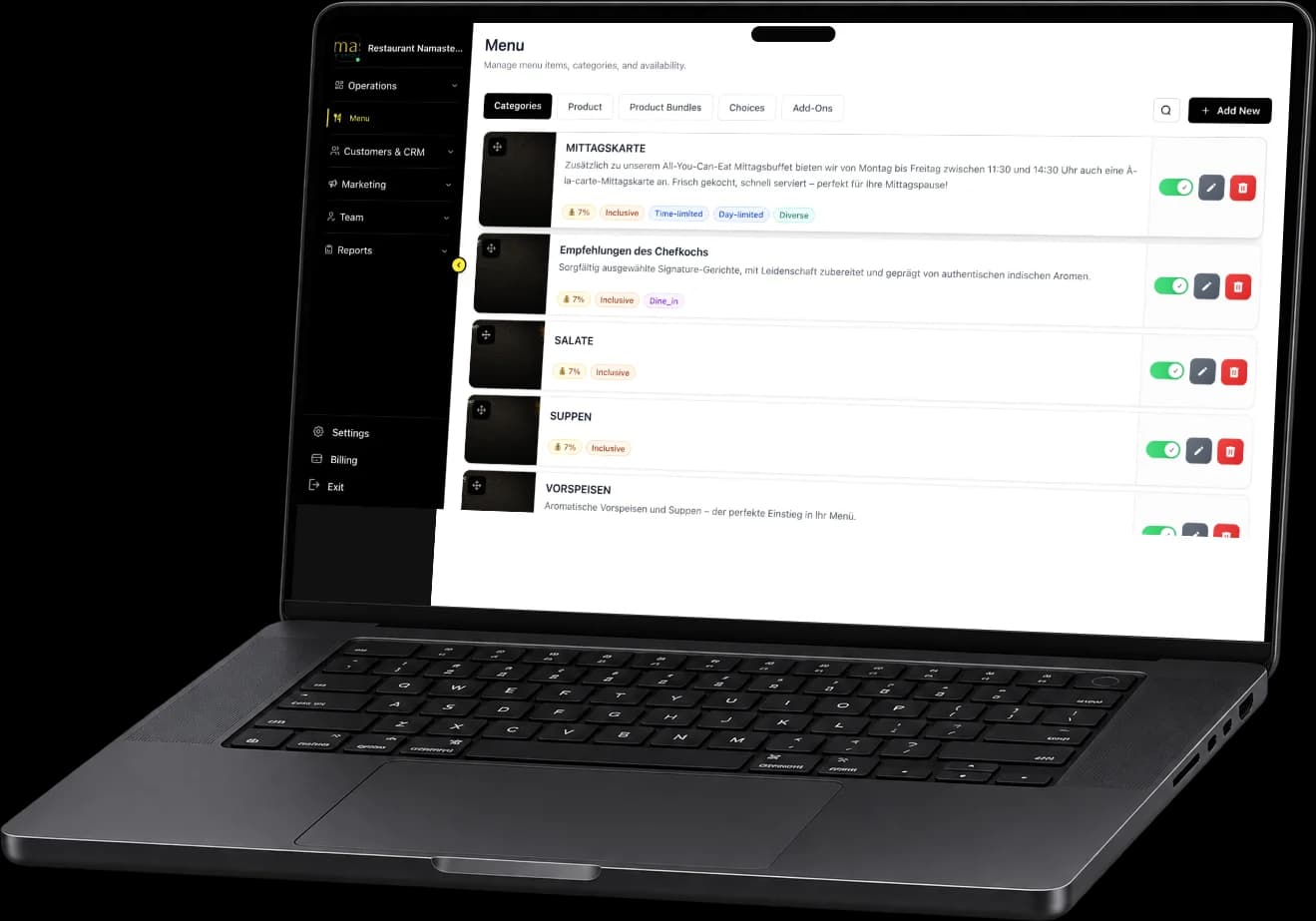
See categories alongside controls for products, bundles, choices and add-ons. The example also shows category ordering and availability indicators.
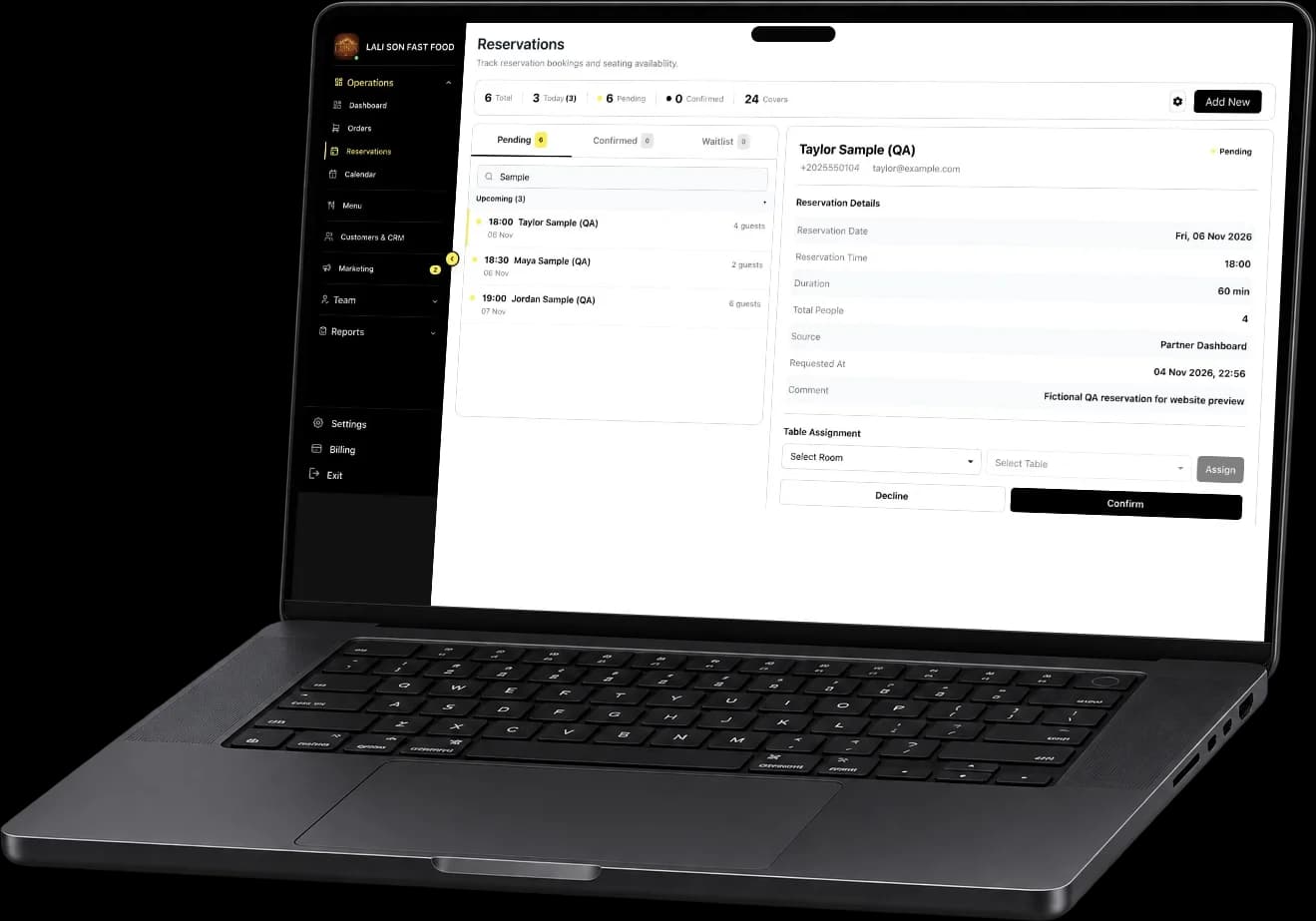
Review pending requests alongside guest count, time and reservation details. The example includes controls for table assignment and confirmation.
Your POS supports service tasks such as taking orders and splitting bills. The Fleksa Partner Portal gives you views for managing menus, reviewing orders and checking reservations. Confirm the workflows and access your team needs for each location before choosing your setup.
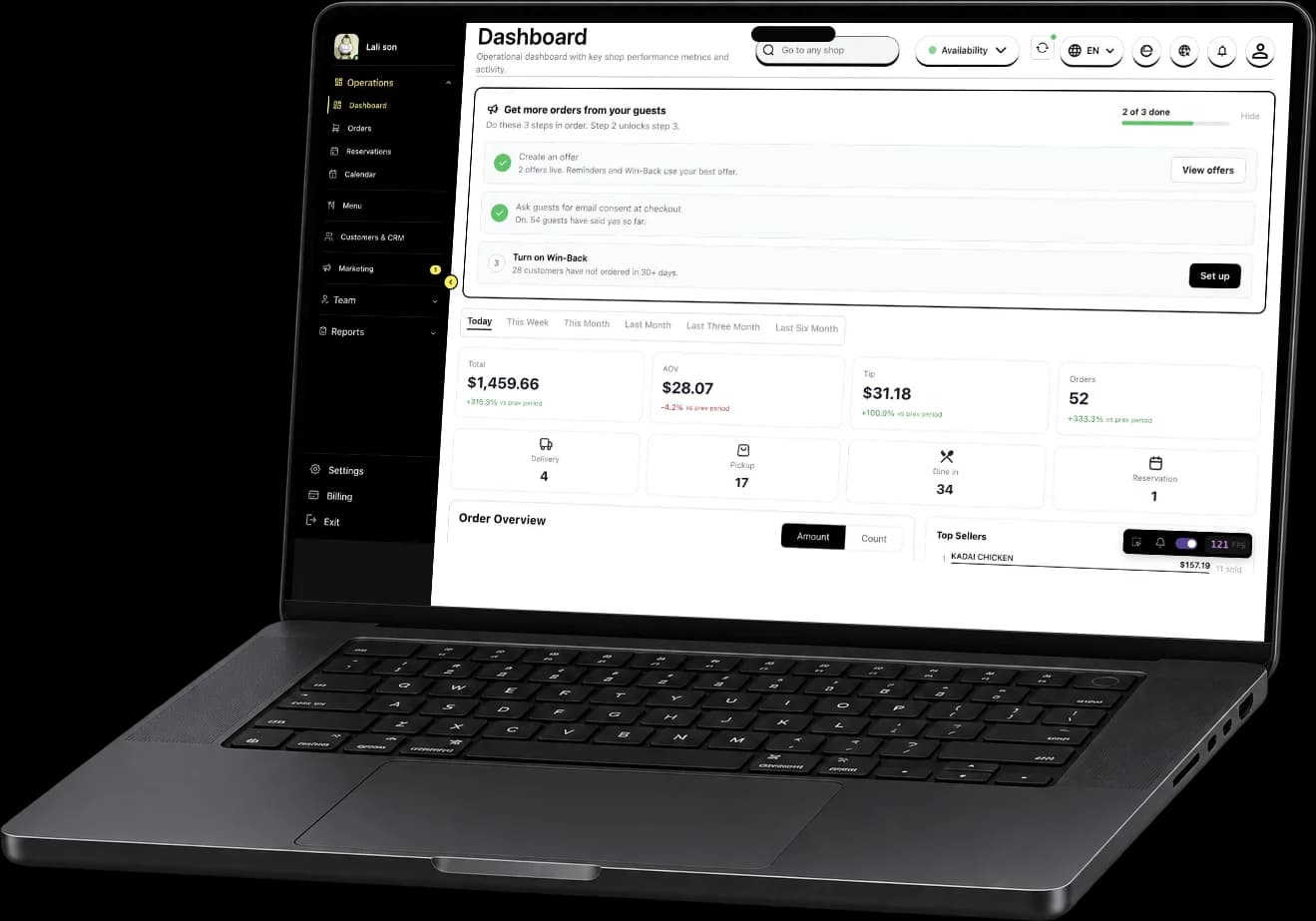
The portal brings together views for your dashboard, orders, menu and reservations. The dashboard shown above includes sales and order summaries for a selected period.
The orders view includes status tabs such as New, Accepted, Ready and Done. Use them to focus on the orders your team needs to review.
The images show an example restaurant with sample data. Features, configuration and availability can vary by restaurant and region. Ask our team what is available for your business.
For your restaurant
Talk with our team about the partner portal and the features available for your location.
Explore related features, comparisons and cost guides.
Direct online ordering for delivery, pickup, and dine-in.
Take table bookings on your website and manage reservations in the restaurant portal.
Email and SMS campaigns, loyalty points and digital gift cards for your guests.
Check supported connections for ordering, delivery and payments in your market.