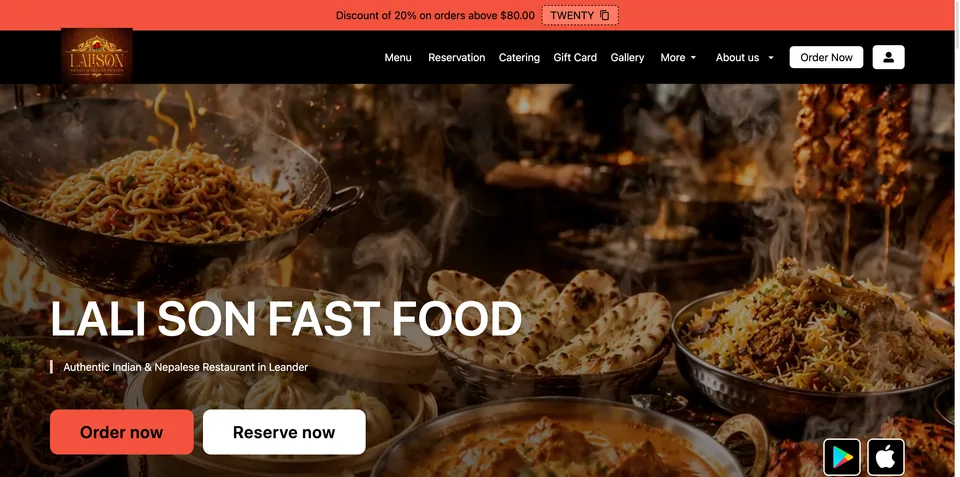
What small restaurants actually need from an ordering system
Finding the best online restaurant ordering system for a small operation comes down to four things that rarely get discussed together. Most platforms are built for chains or marketplaces — and the pricing, complexity, and branding reflect that. Here is what actually matters when you run one to five locations.
Commission-free or low-commission
A 10–30% commission on every order is not a software fee — it is a partner taking a cut of your revenue. For a restaurant doing €8,000/month in online sales, even a 15% commission costs €1,200/month. Commission-free platforms exist, and in 2026 they are mature enough that you do not have to sacrifice features to use them.
Easy menu setup, no developer needed
If setting up your menu requires a developer, a CSV import, or a call to support, the system is not built for small restaurants. The right tool lets an owner or manager build and update the menu in under an hour, without writing a line of code.
Works with your existing POS or standalone
Not every small restaurant has a POS, and not every POS has a good integration story. A solid ordering system either syncs cleanly with common POS platforms or works entirely standalone — orders land in the kitchen without a second screen.
Branded — not a marketplace
Ordering through a branded domain (yourbistro.com/order) keeps the customer relationship yours. Ordering through a marketplace makes the platform the brand. For repeat business and email capture, this distinction compounds over time.
The top 6 systems compared
Below is a side-by-side of the platforms most commonly evaluated by independent restaurants in Europe and North America in 2026. Pricing is based on published rates for single-location plans.
| Platform | Monthly price | Commission | Branded domain | POS sync | Setup time | Best for |
|---|---|---|---|---|---|---|
| Fleksa | Ask for current plans and pricing | Depends on plan | Ask about domain terms | Yes (native POS) | Depends on menu and readiness | Independent restaurants, DACH/Europe, 1–5 locations, agency/partner programs |
| CloudWaitress | Free – ~$29/mo | 0% | Yes | Limited | 1–2 days | Budget-first operators globally |
| UpMenu | ~$49/mo | 0% | Yes | Limited | 2–4 days | Mid-size independents wanting marketing tools |
| Flipdish | €99+/mo | 0% | Yes | Yes (select POS) | 1–2 weeks | Groups and franchises, Europe |
| GloriaFood (Oracle) | Free (shutting down April 2027) | 0% | Widget only | No | 1 day | Legacy users — migration required |
| Square Online | US: Check current plans; legacy plans may differ (checked November 5, 2026). Verify terms in other markets. | 0% (+ transaction fee) | US: Free square.site subdomain; custom domain on eligible paid plans. | Square POS only | 1–2 days | Square POS users in US/UK/AU |
What to avoid — the traps small restaurants fall into
Several patterns show up repeatedly when small restaurants choose an ordering system and regret it six months later.
- Marketplace lock-in disguised as software. Some platforms offer a "free" ordering system but the orders run through their marketplace, which means your customers see competitor listings and you pay per order. Read the pricing page carefully.
- Per-transaction fees that scale against you. A flat monthly fee is predictable. A per-order fee that grows as your volume grows punishes your success. Calculate the break-even point before signing up.
- No data portability. If you cannot export your customer emails, order history, and menu data in a standard format, you are locked in. Always verify what happens to your data if you leave — or if the platform closes (see: GloriaFood).
- Over-featured plans you will never use. Loyalty programs, advanced analytics, and white-label apps sound good. If you are doing under 100 orders per week, the core flow — menu, checkout, kitchen notification — is what matters. Do not pay for complexity you cannot operate.
A shortlist for small restaurants
Compare these platforms against the four criteria above. Check each plan’s total cost against your budget:
- Fleksa — Restaurant ordering and POS for European restaurants. Ask for current plans and pricing. For Germany, Flex: 10% of eligible website and Google orders plus €0.50 per reservation, minimum €49/month. Fix: €199/month with 0% Fleksa commission. Payment processing, hardware and extras cost separately; prices exclude VAT.
- CloudWaitress — Free plan available, 0% commission, solid branded ordering page. Limited POS integration. Works well as a standalone system for restaurants that already have a separate POS.
- UpMenu — Offers marketing tools such as loyalty and email campaigns. Check current pricing and features. Worth considering if customer retention campaigns are a priority from day one.
Compare each provider’s current fees and domain terms. The differences come down to POS integration depth, European payment support, and what you need beyond the core ordering flow.
Fleksa for small restaurants — real pricing, real features
Fleksa is a restaurant tech platform built specifically for independent restaurants and small groups, with a strong base in the DACH region and growing coverage across Europe. The core proposition is straightforward: online ordering, a branded domain, and a POS that talks to the same system.
On pricing: ask Fleksa for current plans and pricing, including domain and payment processing costs. For Germany, Flex: 10% of eligible website and Google orders plus €0.50 per reservation, minimum €49/month. Fix: €199/month with 0% Fleksa commission. Payment processing, hardware and extras cost separately; prices exclude VAT. Agency and multi-venue operators can ask about partner terms.
Key features relevant to small restaurants:
- Online ordering with branded domain (pickup and delivery)
- Integrated POS — orders from online and in-house flow to the same system
- QR code ordering for dine-in
- Multi-language support (relevant for European operators serving international guests)
- Stripe-based payments, no separate payment gateway contract required
Fleksa is not the right fit for every restaurant. If you are US-based and already deep in the Square ecosystem, Square Online is a more natural choice. If you need advanced loyalty mechanics on day one, UpMenu's marketing suite is more developed. But for a European independent restaurant that wants to own its ordering channel, and avoid managing three separate systems, Fleksa offers an integrated stack. Check your offer against your budget.
How to pick: a decision framework
Rather than comparing feature lists, work through these four questions in order:
- Do you already have a POS? If yes, check whether the ordering system integrates with it natively or requires a middleware workaround. If no, consider a platform that includes both (Fleksa) to avoid managing two separate systems.
- What is your order volume? At lower volumes, compare the minimum charge and any per-order fees. Over 200 orders per week, per-transaction fees become material — verify the math before committing.
- Where are your customers? If they are primarily in Europe, payment methods like SEPA, local card networks, and GDPR-compliant data handling matter. US-focused platforms often have gaps here.
- What does migration look like? Switching costs are real. Ask specifically: can I export my menu in a standard format? Can I export customer data? How long does the migration take? Migration timing depends on the menu, available data and preparation; ask the provider for an estimate.
Frequently Asked Questions
Is there a truly free online ordering system for restaurants?
CloudWaitress has a free tier with no commission that is functional for low-volume operations. GloriaFood was free but is shutting down in April 2027 — new signups are already closed. Most platforms that are genuinely free either have volume limits or charge transaction fees. Compare the features, support and total cost of each plan for your order volume.
What is the best online restaurant ordering system for a single location in Europe?
For a single-location independent restaurant in Europe — particularly Germany, Austria, or Switzerland — Fleksa is the strongest fit based on commission structure, payment method support, and language options. CloudWaitress is a reasonable budget alternative if POS integration is not a priority. UpMenu is worth evaluating if email marketing is central to your growth plan.
How long does it take to set up an online ordering system?
Setup and migration timing depend on your menu, available data and preparation. Fleksa offers menu migration support; ask about timing and any charges.
What happens to my data if I switch platforms later?
This depends entirely on the platform's export tools. Before committing, verify that you can export: menu data in a standard format (CSV or JSON), customer contact lists, and historical order data. Platforms that do not offer full data export create lock-in risk. All platforms on the shortlist above support menu export; customer data portability varies — confirm directly with the vendor before signing up.
Are commission-free ordering systems actually sustainable for the platform?
Yes — commission-free platforms generate revenue from monthly subscription fees rather than per-order cuts. This model aligns the platform's incentive with the restaurant's success: they want you to grow volume, not take a percentage of it. Check each provider’s current terms. For Germany, Flex: 10% of eligible website and Google orders plus €0.50 per reservation, minimum €49/month. Fix: €199/month with 0% Fleksa commission. Payment processing, hardware and extras cost separately; prices exclude VAT.
Ready to switch? Contact Fleksa — menu migration support is available; timing depends on your menu and circumstances.