A restaurant POS for tables, orders and bills.
Manage tables, take orders and split bills with one POS for your restaurant team.

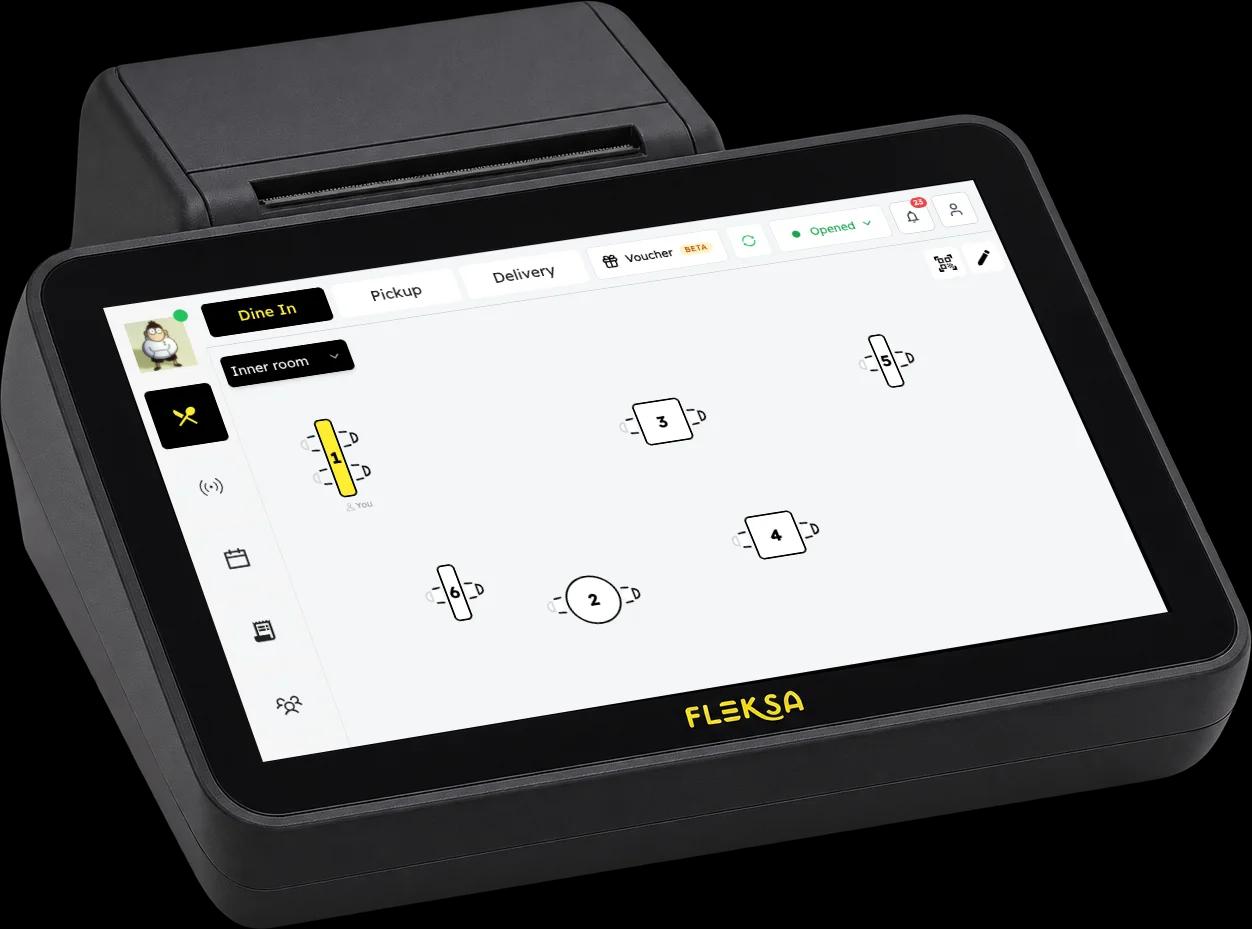
Floor plan in real time.
Open the Fleksa Waiter app on a tablet or phone, see your dining room and select a table to manage its orders. Your team keeps a clear view of service as guests come and go.
Take orders from one screen.
Categories, modifiers, and live cart on one screen. Send orders to the kitchen instantly. Built for peak-hour speed across dine-in, takeaway, and delivery.
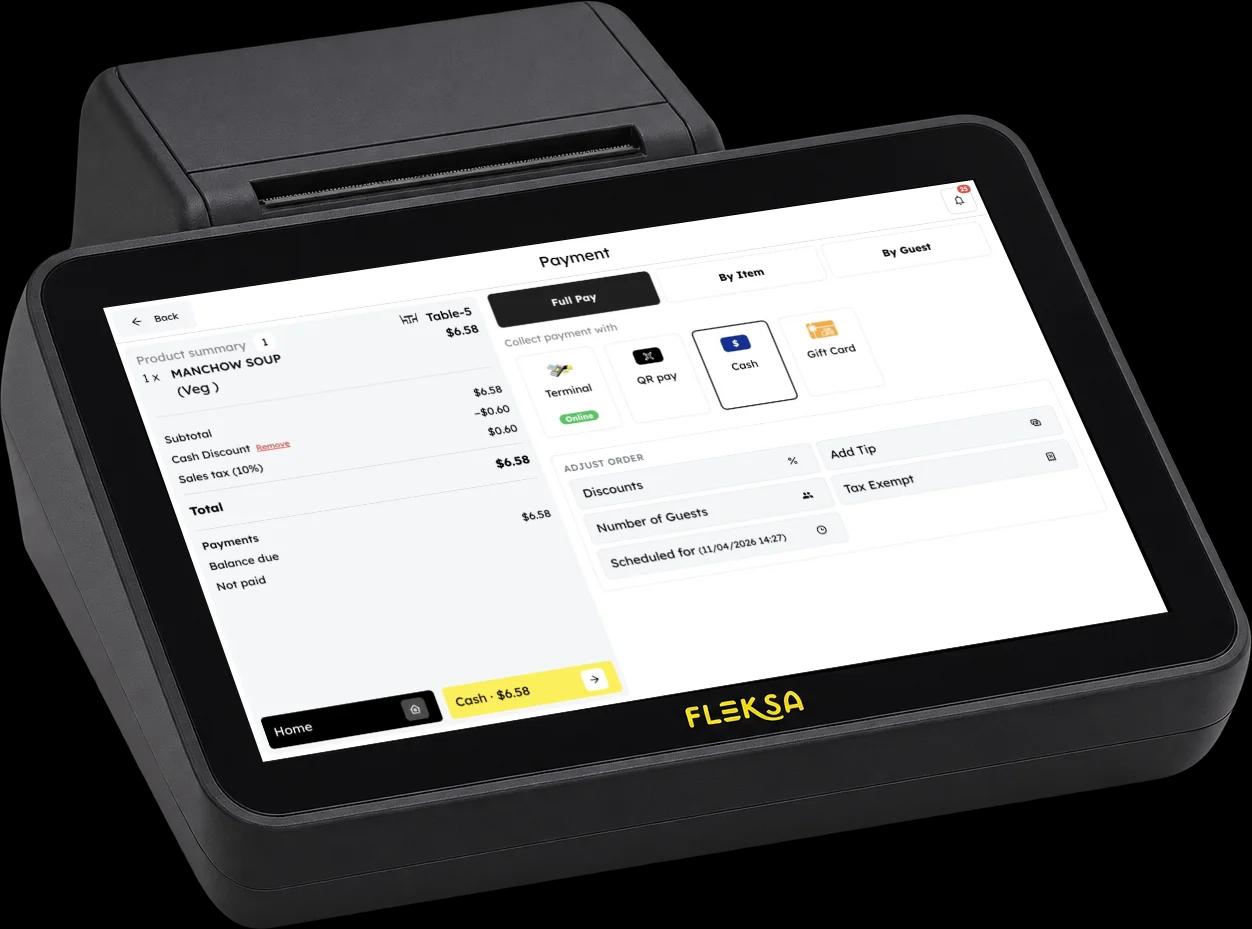
Let guests pay separately.
Split a bill when guests want to pay separately, and choose from the payment methods configured for your restaurant.
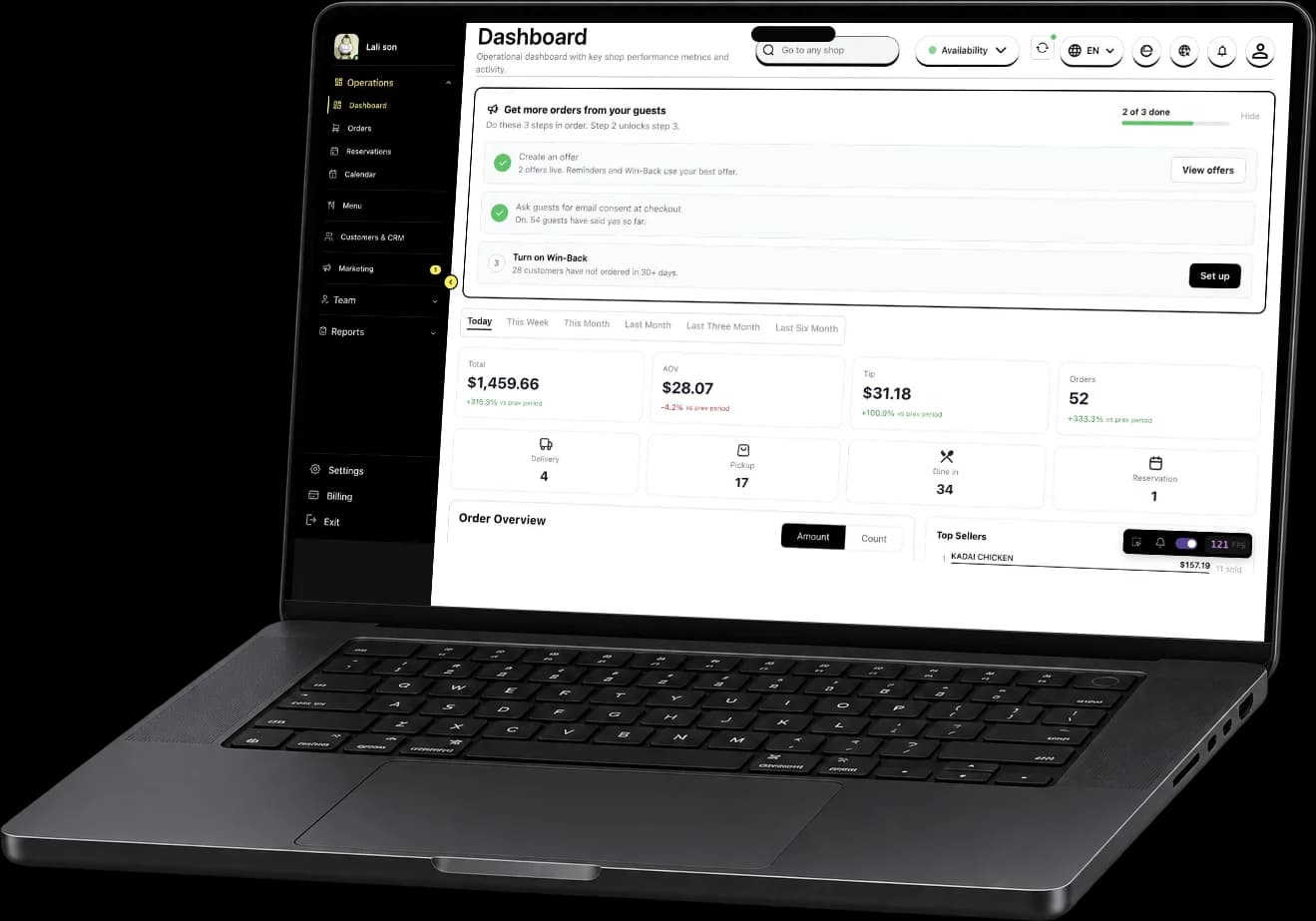
Your restaurant at a glance.
See order and sales summaries in your dashboard. Available views depend on your setup.
Get ready for service with Fleksa.
Bring your own hardware
Tell us about your restaurant and the hardware you use. We'll help you find a compatible setup.
Import your menu and floor
Prepare your menu and table layout with guidance from our team.
Open for service
Take orders, manage tables and use your configured payment methods during service.
Built for the way restaurants actually run.
Independent restaurants
Connect table service and payments with your restaurant's website and direct ordering.
Multi-location groups
Manage your restaurant locations with Fleksa. Our team can explain the options for your group and setup.
Quick-service & fast casual
Take orders from a clear menu and give your team a connected view of service.
Fine dining
Manage tables, take orders and split bills during service.
How Fleksa POS compares to Toast, Square, and Lightspeed.
| Fleksa | Toast | Square | Lightspeed | |
|---|---|---|---|---|
Online ordering available | ✓ | ✓ | ✓ | ✓ |
Branded customer website | ✓ | Not verified | ✓ | Not verified |
Features and pricing vary by plan and region. Sources: Toast · Square · Square website · Lightspeed
Keep track of tables, orders and bills during service.
Fleksa POS
Explore plans for POS and direct ordering. Our team can help you choose the right setup.
See plansPOS System FAQ
Everything you need to know about our restaurant POS
Test how the system handles your menu, table service, orders and split bills. Check compatible devices, payment options, support and the full costs for your setup before you choose.
Your own iPad, Android tablet or phone, at no fee and with no limit on devices. Ready-to-use kit is optional: a handheld POS with printer (for example SUNMI V2s) costs $199, a countertop POS with printer $799. Your quote confirms model and price.
Some information may remain available during a connection interruption. Available actions depend on your setup and the affected service. Ask the Fleksa team about the behavior of your specific devices and payment methods.
Yes. The POS supports split payments so guests can pay separately. The available payment methods depend on your restaurant's configuration.
Yes. A kitchen printer (for example Scangle SGT-88IV, 80 mm) costs $149. Complete setup ($399, one-off) includes printer setup and training. The printer itself is sold separately.
For POS use in Germany, Fleksa offers a cloud TSE with DSFinV-K export as an add-on for 14,99 € a month per business (excl. VAT). Our team confirms the configuration for your restaurant and devices.
Yes. Each location has its own plan, and monthly prices are per location.
Fleksa connects restaurant POS workflows with tools for a restaurant website and direct ordering. Compare each provider's current plans, hardware requirements, and availability for your location when choosing a system.
Yes. Standard setup ($199, one-off) includes a menu import. You can also build the menu yourself in the menu editor at no cost.
Setup is one-off: $0 if you do it yourself, $199 for Standard (one product, menu import) or $399 for Complete (POS and online, printer setup, training). Your contract shows the price and terms that apply to you.
Supported delivery apps can arrive on one tablet with the integration pass, where available. On Flex, the pass costs $49 a month per location. It is included in Fix. Ask which apps are available for your location.
Related products & comparisons
Explore related features, comparisons and cost guides.
Keep order details, held orders and preparation timing in view for your kitchen team.
Explore terminals, handhelds, printers and kitchen displays for your restaurant setup.
Guests scan, order and pay at the table. Bill splitting depends on your setup.
Email and SMS campaigns, loyalty points and digital gift cards for your guests.
Side-by-side comparison: features, pricing, and switching guide.
How Fleksa compares to Square for restaurant operators.
Compare website, direct ordering and POS requirements for your restaurant.
Compare software, hardware and other costs for your restaurant POS.
Bring more orders directly to your restaurant.
Give guests more ways to order directly through your website, app, and QR codes. Explore an illustrative commission calculation using your own order numbers.
- Direct ordering through your own channels
- More control over your guest relationships
- Ordering and restaurant operations connected with Fleksa
Included in every plan, from $49/month. Flex: 10% on eligible online orders plus $0.50 per reservation, minimum $49. Fix: $199/month, 0% Fleksa commission. Card fees, hardware and add-ons extra. Plans and prices
How much are aggregators costing you?
Estimated annual commission
Assumes the same daily order volume for 365 days. This is gross commission, not savings; software, payment and delivery costs are excluded.
The initial 30% rate is an example, not a standard market rate. Adjust it to match your terms; the result is not a projection of savings with Fleksa.