The right food truck POS system is the one your crew can use at the venues you actually serve, with the space, power and connection available there. Start with those constraints, then compare the complete cost of a setup that meets them. A low monthly fee matters less if the system needs a larger counter, a second connection or equipment you cannot reliably power.
Give each vendor the same order and the same venue conditions. Ask what the system can do, what stops when a connection drops and how staff recover. Record the answers alongside a written quote. That gives you a more useful comparison than a list of features alone.
Define your truck's service conditions
Write down how an order moves from the window to the cook and back to the guest. A one-person coffee truck has different needs from a two-person lunch truck with a busy pickup line. The important question is not how many features a system offers, but which steps your crew can complete without blocking one another.
Start with your busiest regular service and your least reliable venue. Note the counter space available after food, utensils and packaging are in place. Measure the area where a screen, payment device and any printer would sit, including room for cables and a guest to reach the reader. A device that fits on paper may still get in the cook's way when the window is open.
Then make a short venue list. For each stop, record the expected service hours, available power, connection source and whether staff can reach the equipment easily. Include setup and closing time: a battery that covers a three-hour lunch may not cover a full day once the drive, setup and cleanup are included.
Decide which order channels matter. If guests only order at the window, a simple counter workflow may be enough. If you also accept direct online orders, ask how those orders reach the truck, how staff identify them and what happens when the connection is unavailable. Fleksa offers a restaurant POS system connected with direct ordering and related tools; ask which configuration fits your truck and venues.
Before comparing vendors, divide your list into requirements and preferences. For example, taking the payment methods your guests expect might be a requirement. A printed receipt might be a preference if another receipt option works for your customers. Be specific: “works at a festival” is too vague; “staff can enter an order and explain the payment fallback when the connection drops” can be demonstrated or answered.
Walk through the same order at each venue
Ask every vendor to demonstrate a representative order on the equipment included in its quote. Have the person who will run the window follow the steps, rather than watching a salesperson move through a prepared menu. Use a safe training or simulation mode; do not send a real guest message, charge a card or dispatch a courier.
For example, enter two tacos, add an extra filling to one, remove an ingredient from the other and add a drink. Ask to change the drink before completing the order. Then follow the order to whatever the kitchen uses: a screen, a printer or a verbal handoff. Check that the cook can tell which taco has which change. Ask how staff correct an item after the order has been sent.
Record the steps that need extra equipment, a connection or a staff workaround. If a step cannot be shown safely in simulation, ask the vendor to describe it and provide the conditions in writing. An unsupported action is useful information; it should not disappear from the comparison just because the rest of the demo went well.
Check connection changes and power
Ask the vendor to show what staff see when the connection is interrupted in a safe test environment. Can they still enter orders? Can they review orders already entered? Which actions wait for reconnection, and what must staff do afterward? Ask separately about card payments: the ability to enter an order without a connection does not establish that a card can be accepted offline.
For any proposed offline payment option, ask about limits, later submission, declined transactions and who carries the risk. If the answer does not fit your operation, define a fallback before service, such as taking another accepted payment type or pausing card orders. Do not assume a hotspot or venue network will be available at every stop.
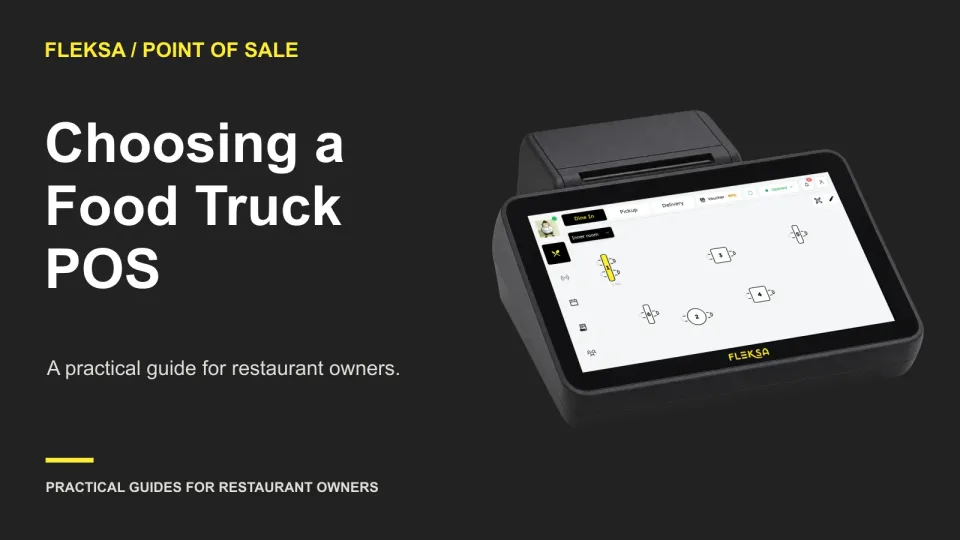
List every powered component, not just the main screen. A reader, printer, router or kitchen display may have its own power and connection needs. Ask for expected battery duration under your intended use and how each device charges. Review the quoted POS hardware dimensions and power requirements against the truck layout. If the vendor proposes equipment you already own, get compatibility confirmed for that exact model.
Finish the payment and receipt workflow
Ask which payment types the quoted setup accepts, where the guest taps or inserts a card, and how staff handle a declined payment or a canceled order. If you need split payments, ask to see that specific workflow. Confirm whether a receipt can be printed, provided digitally or declined, and what equipment or connection each option requires.
Keep the counter journey in view. A reader with a short cable may force staff to turn the main screen toward the window; a printer may consume prep space or need another outlet. If the crew serves from both sides of the truck, ask whether the proposed setup can be moved safely or whether a second device is required.
Compare the quote and its dependencies
Request a written quote for the same operating period from each vendor. Separate one-time setup and hardware charges from recurring software and connectivity charges. Include every device required for the workflow, not just the advertised starting package. Ask who installs it, what onboarding covers and whether replacement equipment or support costs extra.
Processing fees deserve their own line. Ask for the quoted rate and any per-transaction charge for the payment methods you expect to use, along with other applicable payment fees. Multiply those terms by a stated sales and transaction assumption when comparing quotes. A processing estimate is not the all-in operating cost: software, equipment, connectivity and exception charges may still sit outside it.
Also ask about refunds, disputes, hardware replacement, early termination and price changes. These may not occur every month, but they can change the decision. Identify whether the quote requires a particular processor, network, device or contract term. Ask what happens to your menu and order records if you leave. For contract or tax treatment, consult a qualified adviser as needed.
Fleksa's plans and pricing were checked in November 2026; use the current page and a written quote for the configuration you need. Ask Toast, Square and Fleksa for comparable quotes rather than treating a headline price as a complete truck setup. Toast lists restaurant POS, hardware, online ordering, payments, kitchen displays and integrations. Square offers restaurant point of sale and related payment and order tools. For each, confirm the particular equipment and service conditions you require.
If you are weighing a low-fee offer, the guide to when a no-monthly-fee POS costs more can help you identify costs that sit outside the subscription. Keep that broader comparison grounded in your own expected service days and payment volume.
Use a mobile venue readiness and cost matrix
The following example is hypothetical, not a quote or a description of any vendor. A truck serves a four-hour lunch market and a seven-hour festival. Its owner requires a workflow that fits the counter, covers each service period with the available power plan and has an acceptable response to a lost connection. Both options below fit the measured counter. The table compares a 12-month period using the same payment assumptions.
| Decision factor | Option A | Option B | What changes the choice |
|---|---|---|---|
| Power and venue fit | Quoted battery plan covers the market; festival needs a confirmed outlet. | Quoted battery plan covers both service periods. | A reliable festival outlet would make A's power plan acceptable. |
| Connection interruption | Order entry fallback described; card acceptance during an outage not established. | Same fallback and unanswered card question. | Either vendor's written payment conditions could change the result. |
| Fixed costs, 12 months | $300 hardware + $600 software + $120 connectivity = $1,020. | $500 hardware + $720 software + $120 connectivity = $1,340. | Confirm all required devices and setup are included. |
| Variable processing and total | $1,200 processing + $1,020 fixed = $2,220. | $1,000 processing + $1,340 fixed = $2,340. | Recalculate for actual sales mix and written fee terms. |
For the processing estimates, assume each option handles $40,000 in card sales across 2,000 transactions. Option A's hypothetical fee is 2.5% plus $0.10 per transaction: $1,000 plus $200, or $1,200. Option B's is 2% plus $0.10: $800 plus $200, or $1,000. Sales are the volume used to estimate fees; they are not an operating cost added to the totals.
The fixed totals include the stated hardware, software and connectivity amounts; assume setup is included in those amounts. The processing estimates include the stated variable fees. Both totals exclude exception costs such as refunds, disputes, replacement equipment and cancellation charges, because their amounts are not specified. They also exclude other operating expenses outside this POS comparison. Ask vendors for those missing charges before relying on a quote.
Option A is $120 cheaper over the period, but its festival power plan is not yet acceptable. On the stated requirements, choose B only if the owner accepts the same unresolved card-payment fallback for both options and the quoted battery plan is confirmed for the full festival service. If card acceptance during a connection loss is essential, neither option has yet met the requirements. If A's outlet is confirmed and the payment answers are acceptable, A becomes the lower-cost fit under these assumptions.
Use your own matrix with one row per requirement. Put “confirmed,” “workaround” or “open” beside each answer, then record who must act and what the workaround costs. Avoid averaging away a failed requirement: a good software price does not make an unpowered reader useful at the window.
Prepare the switch and make the final call
Before committing, ask how the menu will be prepared and what onboarding assistance is included. Fleksa's POS page describes menu and floor preparation with onboarding guidance. Whatever system you choose, keep a restaurant-approved reference menu and check categories, modifiers, quantities, availability and totals against it. Include a sold-out item and a common substitution in the review.
Run staff practice in a simulation or training environment. Use the same order from the vendor comparison, plus a correction and an interrupted-connection scenario. Confirm that practice cannot create a real payment, guest message or courier dispatch. Write down where the crew hesitates and revise the counter procedure before opening.
A live service pilot is different from practice: it involves actual guests and transactions. If you run one, choose a manageable service, explain the fallback to staff and keep a way to record orders if the system is unavailable. Reconcile the orders and payments afterward, and resolve discrepancies with the vendor. Plan the changeover rather than assuming there will be no interruptions or lost orders.
Bring your venue list, sample order and matrix to a Fleksa POS demo. Ask the team to walk through your acceptance criteria, identify any unsupported steps and provide a written quote for the equipment and setup you need.
Frequently asked questions
Can a food truck POS take payments without internet?
Do not assume it can. Ask each vendor whether the quoted setup supports offline card acceptance, what limits and risks apply, and what staff must do when the connection returns. Have a fallback if the answer does not meet your needs.
What hardware does a food truck need?
It depends on the order and payment workflow. List the screen, payment reader, connection equipment and any kitchen display or printer you need, then check their space, power and compatibility requirements in the quote.
How should I compare food truck POS costs?
Use the same time period and sales assumptions for each quote. Add fixed software, hardware, setup and connectivity costs to estimated processing fees, and list possible exception charges separately. Confirm contract terms before deciding.