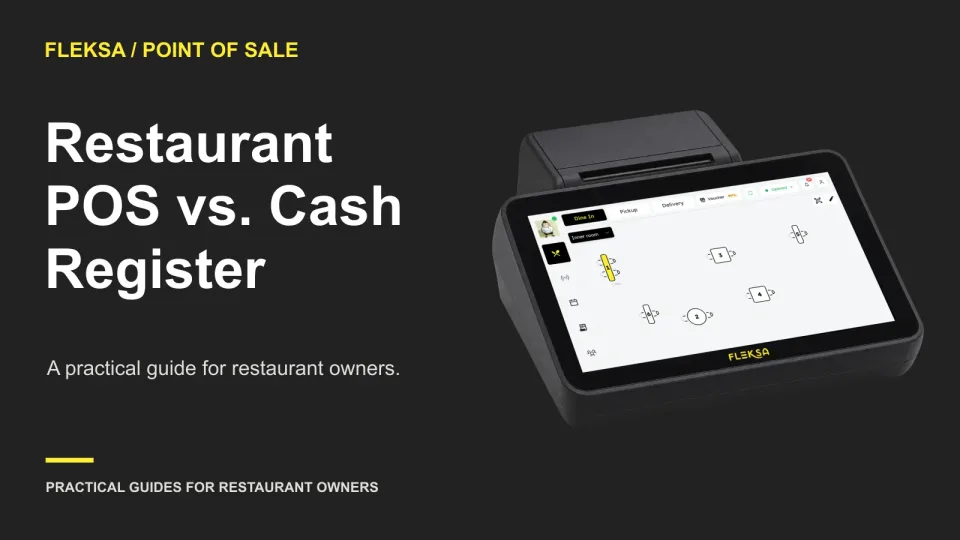
A cash register can be enough if your restaurant has a short menu, a simple checkout and a manageable way to reconcile payments and sales. A restaurant POS becomes worth considering when you need item-level reporting, want the payment amount sent directly from the order to the card terminal, or spend too much time matching separate records.
The right choice depends on what happens during a shift, not just the price on the equipment. A register may still work with a separate card terminal. A POS may still need an internet connection, a payment provider and additional hardware. Compare the complete workflow and the first-year quote before deciding.
Start with the work your counter needs to do
A cash register records transactions and generally includes a cash drawer and a way to enter amounts. Some also print receipts or track sales by department or item. Capabilities differ, so check the model rather than assuming it has only a keypad.
A restaurant POS system combines software and hardware to record orders and sales. Depending on the product and setup, it may connect orders to payments and produce more detailed reports. The useful distinction is whether the system gives your staff and managers the information they need without extra steps.
For a small counter selling a few fixed-price items, entering the total on a register and then on a separate terminal may be acceptable. The owner can count the drawer, compare the terminal total and investigate differences at closing. Detailed item reports may add little if the menu rarely changes and purchasing decisions are straightforward.
Consider a POS when those manual steps become a recurring problem. For example, a restaurant with modifiers and several employees may need to see which items were sold, review voids, and match card payments to orders. A connected terminal can remove the need to type the same amount into two devices, provided the quoted setup actually supports that connection.
Write down the decisions you expect reports to support. Do you want to identify the best-selling lunch items, check discounts by shift or reconcile card transactions? Ask to see each report with example data. A long list of available reports matters less than finding the numbers you need and understanding what they include.
Compare the same service workflow
Give every vendor the same order and the same closing task. Use a restaurant-approved reference menu, including prices, modifiers and availability. Ask the vendor to demonstrate each step and note anything that requires another device, a manual entry or a different plan.
Enter an order and take payment
Use a sample order with two menu items, one modifier and a correction before payment. Ask the employee running the demonstration to show the item names and final total. Then simulate a card payment and a cash payment separately. Check how the drawer opens and what appears on a receipt.
With a separate card terminal, identify who enters the amount and how the payment is matched back to the sale. With connected payments, ask whether the order total goes to the terminal and how staff identify a failed or canceled payment. A terminal can be physically next to a register or POS without being connected to it.
Also ask about your common exceptions. Can staff remove an item before payment? What happens if a guest wants a refund or a different payment method? Who can approve a void? Record the steps and any extra charge rather than assuming every product handles them alike.
Close the shift and use the report
Ask for a sample shift report that separates cash from card activity and shows item sales, discounts and voids if those are important to you. Compare it with the terminal's payment record and the cash count. Find out whether tips, refunds and canceled transactions appear in the totals you are using.
A register's department totals may be sufficient if you only need broad categories. If you need to compare individual menu items or investigate changes made during a shift, ask whether the register can provide that detail and how you get it out. For a POS, ask whether you can export the report and whether the figures update during service or only after closing.
Neither a card payment total nor a bank deposit is automatically the same as sales. Refunds, tips, processing fees and deposit timing can affect how the records compare. Have the vendor explain the reconciliation using a sample report and payment statement.
Plan for an interruption
Ask what happens if the internet, payment connection or power goes down. Can staff still enter an order? Can they print a receipt or open the drawer? Can any card payment be accepted, and under what conditions? Get the answer for the actual hardware and payment setup in the quote; do not assume a POS or terminal will work offline.
Write a simple fallback for your team: where to record orders, how to tell the kitchen, which payment methods to offer and who reconciles the records afterward. A paper order pad may keep information moving, but it does not itself authorize a card payment.
Compare first-year costs and dependencies
Request an itemized quote for each option using the same service requirements. Separate the purchase from the ongoing costs. A low equipment price or a no-monthly-fee offer does not tell you the full operating cost.
- Software: List monthly or annual charges, the number of terminals covered, and any required add-ons or support fees.
- Hardware: Include the register or POS terminal, cash drawer, receipt printer and card terminal required for your setup. Ask whether equipment is purchased, rented or provided on another basis, and what happens if it breaks.
- Payment processing: Ask for the quoted rates and fixed charges that apply to your expected card transactions, plus other payment-related fees. Processing fees are only one part of operating cost.
- Setup and changes: Include installation, menu entry, training and any charges for changes you expect to make. Ask who prepares and checks the menu.
- Exceptions: Ask about refund, dispute, replacement, cancellation and support charges where applicable. Use a stated allowance for uncertain costs rather than treating them as zero.
Make the same assumptions for both quotes: sales volume, number of card transactions, terminals and support period. Ask whether the processor is required, whether existing equipment can be used, and what happens if you add a terminal or end the agreement. Review contract or tax questions with a qualified adviser when needed.
Fleksa's plans page provides its published pricing, checked in November 2026. Use a current written quote for your configuration and compare it with the equipment and payment costs. The POS hardware page is also useful when making your equipment list; confirm compatibility for the devices you intend to use.
Use a needs and cost matrix to make the call
The following is a hypothetical comparison for a counter-service restaurant. It needs cash and card acceptance, one checkout, modifier entry and a daily close. The owner would like item-level sales reports but can operate with a manual count if the report is not worth the added cost. Both options meet the basic checkout requirement in this example.
The table combines the workflow questions with a first-year quote comparison. The figures are assumptions for illustration, not vendor prices. They include fixed equipment and setup costs, variable payment fees and an allowance for exception costs. They exclude sales revenue, deposits, staff time and costs after year one.
| Decision factor | Register with separate terminal | POS with connected terminal |
|---|---|---|
| Order and payment | Enter the sale, then enter the amount again on the terminal. | Enter the order once; the quoted connection sends the total to the terminal. |
| Reporting | Daily totals are available; item-level reporting is not included in this example. | Item sales and shift reports are included in this example. |
| Fixed first-year costs | Equipment $300; setup $120; terminal service $120. Total: $540. | Equipment $600; setup $200; software $480. Total: $1,280. |
| Variable and exception costs | Estimated processing $480; exception allowance $80. Total: $560. | Estimated processing $480; exception allowance $100. Total: $580. |
| First-year operating quote total | $1,100 | $1,860 |
The POS costs $760 more in the first year under these assumptions. The equal processing estimates make the comparison easier, but real quotes may have different rates and fees. Neither total is a projection of profit or a measure of deposits.
On these facts, the register is the lower-cost fit if daily totals and manual payment matching are acceptable. Choose the POS instead if the owner decides that item reports and avoiding a second amount entry are worth the $760 difference, and the demonstration confirms both work as expected. That is an operating judgment, not a guaranteed saving.
Several answers could change the decision. If the register can produce the required item report, the POS has less reporting value for this restaurant. If payment processing or terminal charges differ, recalculate both totals. If the POS needs an extra printer or a paid reporting add-on, include it. If the register cannot handle the required modifiers, it no longer meets the stated checkout requirement.
Before signing, ask for the quote to identify each included device and service. For another way to examine the recurring-cost tradeoff, read the guide to when a no-monthly-fee POS costs more.
Run a safe demonstration, then decide
Give the vendor your reference menu and a short acceptance list before the demonstration. Include your sample order, modifier, correction, cash and card flows, shift report and interruption questions. Ask the vendor to record which actions are included, which need an add-on and which cannot be done in the quoted setup.
For the demonstration, use a simulated or training environment and sample data. Confirm beforehand that the exercise will not charge a real card, send a guest message or dispatch a courier. If the vendor cannot safely simulate a step, ask to see a sample record or a walkthrough instead. A simulated check shows how a workflow is intended to work; it is not proof of performance during a live service.
If you proceed to a live service pilot, agree on its scope, staff responsibilities, support contact and fallback process first. Check the menu against your approved reference for categories, modifiers, quantities, availability and totals. Keep the old process available as agreed and plan how to reconcile records from both systems. A changeover needs a contingency plan; uninterrupted service is not guaranteed.
Request a Fleksa POS demo using your sample order and acceptance list. Ask for the demonstrated configuration and its first-year costs in writing, then compare them with your register quote.
Frequently asked questions
Can a restaurant use a cash register and accept cards?
Yes. A restaurant can use a separate card terminal alongside a register. Ask how staff enter the amount, match payments to sales and reconcile the terminal record at closing.
When is POS reporting worth the extra cost?
It is worth considering when you have specific decisions or reconciliation tasks that need detail a register cannot provide. Compare the reports you will actually use with the added first-year cost and the manual work they would replace.
Does a POS guarantee payments during an internet outage?
No. Payment availability depends on the particular system, hardware, processor and outage conditions. Ask the vendor for its supported procedure and prepare a fallback for orders and payment methods.