A customer wants momo for dinner. They open Google Maps and search for “momo near me.”
They see restaurant listings, food photos, reviews, and hours. They choose a restaurant, check its menu, and place an order.
How does your restaurant appear in that search? What helps a customer choose you?
That is where local search engine optimization, or local SEO, comes in. It helps people find your restaurant when they search for food in your area.
At Fleksa, we help restaurants connect their Google Maps presence, website, menu, and social media. In this guide, we use Lali Son Fast Food: Indian & Nepali Cuisine to explain how those pieces work together, including real search data from its website.
Lali Son is in Leander, north of Austin, Texas. Its website lists Indian and Nepali dishes, including chicken momo, vegetable momo, samosas, and biryani.
We use Lali Son to show what an owner can check and improve. The examples are recommendations, not claims about results for the restaurant.
What is local SEO?
Local SEO is the work that helps your restaurant appear in location-based searches. These are searches from people looking for food near them or in a particular place.
A customer near Leander might search for:
- “Indian restaurant near me”
- “Nepali food Leander”
- “chicken momo near me”
- “Indian food delivery Leander”
These examples show possible searches. Later in this guide, we share actual Search Console impressions for two of them.
Local SEO includes your Google Business Profile, your website, your menu, reviews, and restaurant details on other websites. Together, they help customers understand what you serve and how to visit or order.
Where might a customer find you?
| Place | What the customer may do |
|---|---|
| Google Search or Maps | Find your location, hours, photos, reviews, and directions. |
| Your website | Read your menu, check your details, or start an order. |
| Social media | Discover a dish and search for your restaurant later. |
| Other websites | Find your restaurant in a directory, delivery app, or local article. |
Each place supports a different part of the customer’s decision. The information should lead to the same restaurant and make the next action clear.
How Google chooses local results
Google says it mainly uses three factors for local results:
- Relevance: How well your restaurant matches the search.
- Distance: How far your restaurant is from the location Google uses for the search.
- Prominence: How well known your restaurant is, including its reviews and links from other websites.
For Lali Son, relevance includes clearly describing its Indian and Nepali food. Distance depends on the customer’s location. Genuine reviews and relevant mentions can contribute to prominence.
You cannot pay Google for a better local ranking. No agency can guarantee the top position. Your results depend on the search, the customer’s location, and other restaurants in the area.
1. Check your Google Business Profile
View Lali Son’s public listing on Google Maps. The listing shows the restaurant’s location and actions such as directions and online ordering.
Your Google Business Profile can give a customer the details they need before they visit. It can show your location, hours, photos, reviews, menu, and ordering links.
Start by checking that your profile reflects your restaurant today.
Lali Son example: Its website lists the address as 1500 S Bagdad Rd, Leander, TX 78641. The team should check the address and current hours across customer-facing listings whenever details change. Source: Lali Son website
Check these five areas:
- Name and categories. Use your real-world business name. Choose categories that accurately describe your restaurant. Do not add extra keywords to the name to influence rankings.
- Address and map pin. Check that both lead customers to the correct entrance or pickup point. This is especially useful when businesses share an address or food court.
- Hours. Keep regular hours current. Update holiday hours and temporary closures before they affect customers.
- Menu and order links. Open each link on a phone. Make sure each link leads to the action it promises.
- Photos. Show the food, entrance, and dining or pickup experience accurately. For Lali Son, photos of momo or biryani could help customers understand the menu.
At Fleksa, map optimization includes reviewing these details together. A complete listing helps customers find the restaurant and decide what to do next.
2. Learn how customers search for your food
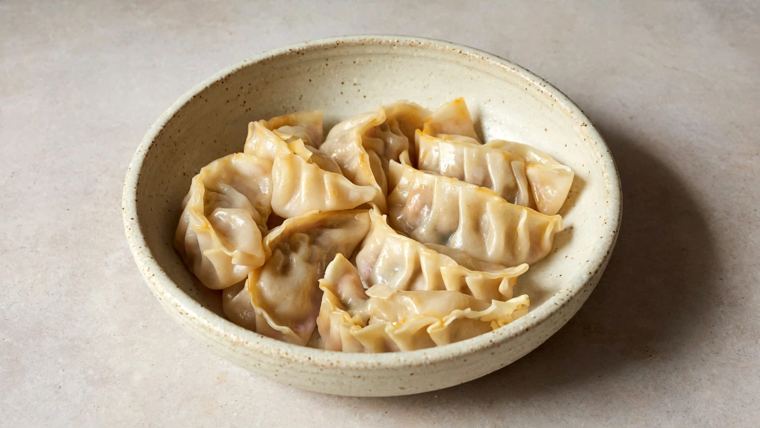
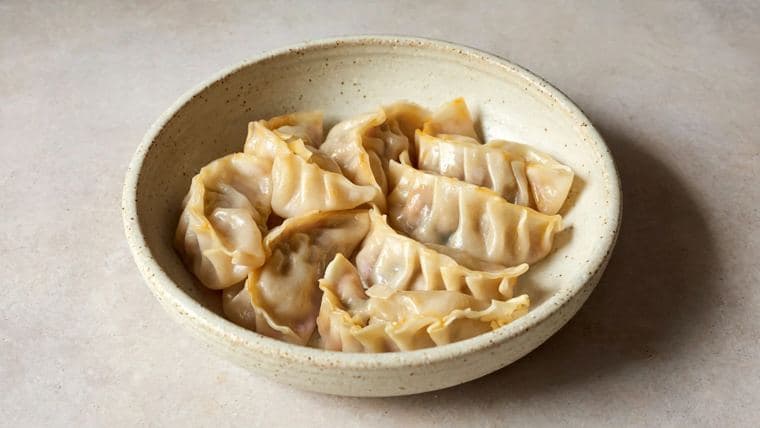
An AI-assisted chicken momo illustration from a Lali Son menu photo test.
Your customers may use a dish’s name. They may also search for a description of food they have not tried before.
For example, one customer may search for chicken momo. Another may search for Nepali dumplings. A clear menu description can help both:
Chicken momo: Steamed dumplings filled with chicken, onions, Nepali spices, and herbs.
This example draws on Lali Son’s menu description. It explains the dish without repeating search terms unnecessarily.
Start with a few possible searches for your own restaurant:
| What the customer wants | Example for Lali Son |
|---|---|
| A cuisine nearby | Indian restaurant in Leander |
| A particular dish | Chicken momo in Leander |
| Food to order | Nepali food delivery in Leander |
| A specific restaurant | Lali Son Fast Food menu |
Then check real search data before choosing your priorities. Google Search Console, Google Business Profile performance reports, and keyword research tools can help you understand how people find you.
Use location names accurately. Lali Son’s listed location is in Leander, within the greater Austin area. Its website should not imply that it has a physical location in central Austin.
3. Make your website useful after customers find you
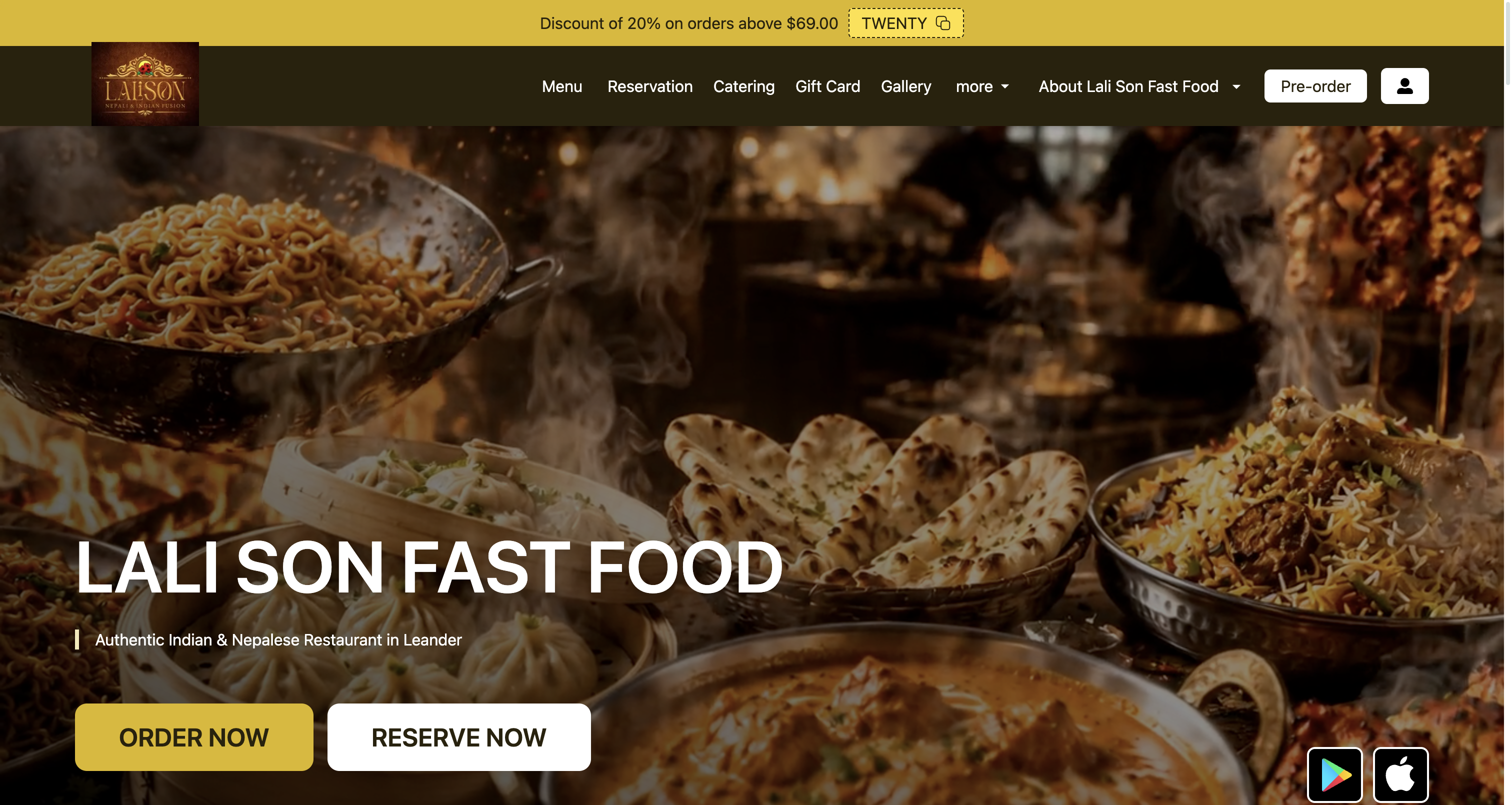
Lali Son’s website, captured November 6, 2026. The page identifies its cuisine and gives visitors a way to start an order.
A search result can bring someone to your website. Your website must then help them decide what to eat and how to order or visit.
Lali Son’s website already lists its cuisine, menu items, location, and ordering options. A useful next check is to see how easily a new customer can find and use them on a phone.
Open your restaurant’s website and answer these questions:
- Can you tell what food the restaurant serves?
- Can you find the menu and current prices?
- Can you find the address and opening hours?
- Can you start an order or reservation, if offered?
- Can you find a phone number when you need help?
Give customers a readable menu
Publish your menu as readable page text where possible. If the menu only appears in an image, customers and search engines have less accessible text to use.
For each dish, include its name, a short description, and its current price. Add dietary details only when you can confirm they are accurate.
For Lali Son’s momo, the menu can explain the filling and preparation. That helps someone who knows the dish and someone who is seeing it for the first time.
Create a separate dish page only when it gives customers useful, distinct information. A page made only to repeat a keyword is unlikely to help them choose a meal.
Check the parts customers do not see
Website SEO also includes technical checks. Your team should confirm that Google can access important pages, that the site works on mobile, and that pages load without unnecessary delays.
Check page titles and links, too. A menu link should open the menu. An ordering link should lead to the ordering flow.
Your website can also use restaurant structured data. This is information in a format that helps search engines interpret details such as the restaurant’s location, hours, and menu. Google’s guidance explains how it works. Structured data does not guarantee a ranking or a particular appearance in search results.
4. Keep your restaurant details accurate across platforms
A customer may check Google, your website, a delivery app, and a restaurant directory before ordering. Conflicting hours or addresses can make the customer unsure which source to trust.
Check your restaurant name, address, map location, phone number, and opening hours. Also check your website, menu, pickup, and delivery links on the platforms customers use.
The formatting does not need to be identical everywhere. “Road” and “Rd” can describe the same address. The information must identify the correct restaurant and help customers reach it.
Lali Son example: If the restaurant changes its hours, update its website and major listings. Then check relevant directories and delivery platforms for the old hours.
5. Ask for honest reviews and respond to feedback
Reviews help customers decide where to eat. They also show you what customers value and where your restaurant can improve.
You can ask customers to share an honest review after a visit or order. Google lets businesses share a review link or QR code. It prohibits incentives, such as discounts or free items, in exchange for reviews. Source: Google’s review guidance
Invite honest feedback from customers. Do not limit requests to people you expect to give five stars.
When you reply, thank the customer and address their feedback. Keep your response respectful. Do not share private order details in public. Move sensitive issues to a private conversation when needed.
Lali Son example: If a customer praises the chicken momo, the restaurant can thank them and acknowledge the dish. If a customer reports a long wait, the restaurant can acknowledge the concern and invite them to contact the team.
Look for repeated comments over time. Several mentions of the same issue may point to an operational change that would help customers.
6. Use social media to show the food behind the menu
Social media can introduce your restaurant to people before they search for a place to eat. It can also help customers remember your name when they are ready to order.
For Lali Son, a content plan could include:
- A short video that explains momo and shows how the restaurant serves it.
- A food photo with the dish name and a clear description.
- A post that introduces a Nepali dish to new customers.
- An update when hours or availability change.
- A behind-the-scenes look at the restaurant, with the team’s permission.
Give each post a useful next step. Invite customers to view the menu, order online, or visit the restaurant when that action fits the post.
Social media supports discovery and engagement. A post alone does not guarantee a better Google Maps ranking.
Fleksa’s team supports restaurants across social media, website SEO, and local search. That helps connect a customer’s first discovery with an accurate menu and a working way to order or visit.
What Lali Son’s search data can teach you
Search Console shows how often a website appeared in Google Search and how many times people clicked it. An impression means the website appeared in a result; it does not mean the person visited the site.
From August 3 through November 3, 2026, Lali Son’s homepage recorded these results in Google Search Console:
| Search query | Impressions | Clicks |
|---|---|---|
| “momos near me” | 188 | 7 |
| “nepali restaurant near me” | 184 | 1 |
Source: Lali Son’s Google Search Console data, accessed through OpenSEO. The figures cover the period above and are not a count of restaurant visits or orders.
These searches suggest that people looking for momo and Nepali restaurants already encounter Lali Son’s homepage. A useful next step is to make its Nepali dishes easy to understand and link customers to the menu. The numbers alone do not tell us why someone did or did not click, or guarantee that a page change will increase orders.
You can use the same method for your restaurant. Look for relevant searches that show your website, then check whether the page clearly answers what those customers want. Compare a consistent date range after making changes.
7. Measure what customers do
More views can be useful, but they do not tell you whether a customer called, visited, or ordered. Review the actions available in your reports as well.
| Measure | Where to check | What it can show |
|---|---|---|
| Searches and profile views | Google Business Profile performance | How customers discover the restaurant |
| Calls, direction requests, and website clicks | Google Business Profile performance | Actions taken from the listing |
| Search queries and website clicks | Google Search Console | Searches that lead people to the website |
| Menu and ordering activity | Website or ordering analytics, where available | What customers do after they arrive |
| Reviews and repeated feedback | Google and other relevant platforms | What customers value or want improved |
Compare periods with care. Holidays, weather, local events, promotions, and differences in reporting can affect the numbers. A direction request does not prove a visit. A website click does not prove an order.
For Lali Son, the useful question is: Are more nearby customers finding the menu and taking a next step? You need the restaurant’s own data to answer it. Public information alone cannot establish that result.
Your starting checklist
- Check your Google listing. Check the address, map pin, hours, menu link, and order link.
- Use your website on a phone. Find the menu, address, and order button as a new customer would.
- Explain your dishes. Use clear names and descriptions that help customers understand what they can order.
- Check major platforms. Correct outdated restaurant details where customers commonly find you.
- Review performance each month. Check visibility, customer actions, reviews, and website activity together.
Your restaurant’s Google listing, website, menu, and social media each help customers make a decision. Keep them accurate and connected, so customers can move from finding your food to ordering or visiting.
Fleksa helps restaurants manage this work, including local search, map optimization, website SEO, and social media support.